
JJ55 Game Download (Latest Earning App) Free For Android
Today
15MB
V1.1.43
Andriod and IOS
100K
Description
Content Table
Accessing a gaming account should be straightforward. However, an unfamiliar login page, a forgotten password, or a missing verification code can leave you unsure about the next step. Before entering your JJ55 game account details, you should also check that you are using the intended service rather than an unrelated page.
This guide explains account registration, login, recovery options, and common problems in simple language. It also covers download checks, promotional conditions, and payment questions. The instructions provide a practical framework; exact buttons, required fields, and available features may differ from the descriptions published on third-party websites. Must Try: Y333 Game
What Is JJ55 Game?
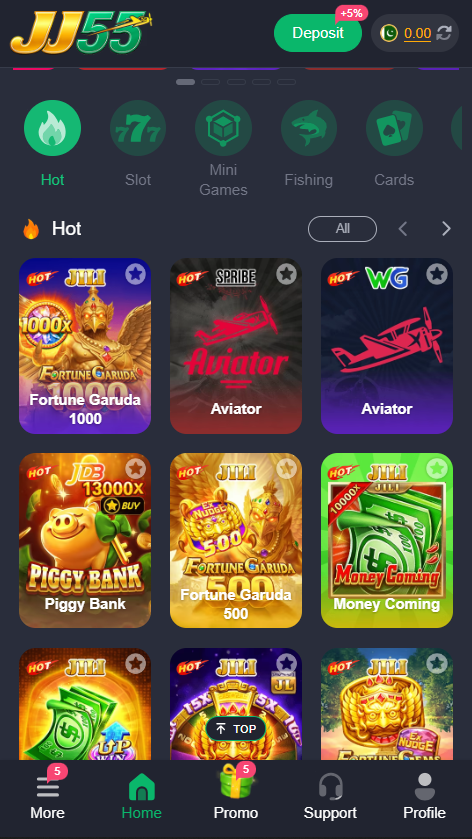
JJ55 Game is advertised as an Android gaming platform with account registration, a gaming dashboard, wallet functions, and promotional offers. A website promoting the app describes these features, but those descriptions do not independently confirm the operator’s identity, security practices, or payment performance.
Before creating an account, identify the exact service you intend to use. Review its operator details, terms, privacy policy, and support information. If the app includes real-money betting, understand that participation can lead to financial losses. An advertised reward or displayed balance should not be treated as guaranteed income.
What Does JJ55 Game Login Mean?
Login is the process of accessing an existing account using the information associated with it. Registration creates an account; login provides access afterward.
Published JJ55 guides describe login using the credentials requested by the current page, which may include a phone number, username, or email address and a password. Requirements are not consistent across the guides reviewed, so follow the actual form rather than assuming every field is mandatory.
Before signing in, check:
- The identity of the website or app.
- Whether you already have an account.
- Which identifier the form requests.
- Whether your saved password belongs to that service.
- Whether the page explains account recovery.
- Whether any unexpected request appears.
Do not enter extra information simply because an unsolicited message asks for it.
JJ55 Game Account Information at a Glance
| Topic | What readers should know |
|---|---|
| Registration | Creates a new account |
| Login | Accesses an existing account |
| Required credentials | Follow the current verified form |
| Verification | Complete it only if the legitimate service requests it |
| Password recovery | Use the service’s own recovery option, if available |
| APK availability | Advertised online; verify the distribution source |
| Official operator | Not independently established in this guide |
| Payment reliability | Not tested or independently confirmed |
| Review scope | Website information and general account guidance |
Before You Register or Log In
A few checks can help you avoid account mistakes.
Check the Website Address
Read the complete address before entering credentials. Be careful with misspellings, additional words, and links that lead somewhere different from what you expected.
A familiar logo does not establish who operates a page.
Confirm the Operator
Look for identifiable ownership and support details. Compare the information in the terms, privacy policy, and contact section.
Some websites publishing JJ55 game guides explicitly state that they are independent informational websites rather than the game’s operator. Therefore, do not assume a guide publisher can access your account or resolve payments.
Understand the Information Requested
Read the form before submitting anything. Basic account information and sensitive identity documents require different levels of consideration.
If documents are requested, establish who receives them, why they are needed, and what the privacy policy says about their handling.
How to Register for a JJ55 Game Account
The exact registration interface has not been directly tested for this guide. If you establish the service’s identity and decide to proceed, use this general checklist.
- Open the verified website or app.
- Find the registration or sign-up option.
- Read the eligibility requirements and account terms.
- Enter only the information required by the form.
- Create a unique password.
- Complete any legitimate verification step.
- Save the account identifier and recovery information securely.
If the service says your details already belong to an account, try recovery instead of repeatedly creating new accounts.
Choosing a Password
Use a long, unique password that you do not use elsewhere. Avoid names, phone numbers, and obvious sequences.
A password manager can help you keep separate credentials for different services. Keep access to your registered email and phone number protected as well.
Referral Codes During Registration
If a referral field appears, read whether it is optional and what conditions apply.
Do not assume a referral code guarantees a reward. Check eligibility, expiry dates, and restrictions before relying on an advertised benefit.
How to Approach JJ55 Game Login
Once you have an account, the usual login process follows this sequence. Exact labels may differ.
- Open the verified service.
- Select the login option.
- Enter the requested account identifier.
- Enter your password carefully.
- Review the details for typing errors.
- Complete additional verification if required.
- Submit the form and wait for the response.
After access, review any unfamiliar activity before continuing.
Logging In on a Shared Device
Avoid saving your password on a phone or computer that other people can access. Decline “Remember Me” options on shared devices.
When finished, log out and close the account page. Do not leave recovery messages or verification codes visible.
How to Recover a Forgotten Password
Look for the service’s own password-recovery option. Published JJ55 game account guidance describes using “Forgot Password” where that option is available.
A typical recovery process may involve:
- Opening the legitimate login page.
- Selecting the recovery option.
- Providing the requested registered identifier.
- Following the verification instructions.
- Creating a new, unique password.
- Reviewing account activity after access returns.
The exact procedure depends on the service.
Never give another person your verification code so they can “finish” recovery for you.
What If You Lost Access to Your Registered Number?
Use the verified support or recovery process. Ask what evidence the operator requires and review its privacy information before sending documents.
Avoid unofficial agents who promise immediate recovery in exchange for payment.
Common JJ55 Game Login Problems and Practical Solutions
An error message can help you identify the next step. Read it before repeatedly submitting the form.
Incorrect Password
Check capitalization, keyboard language, and accidental spaces. Make sure a saved password belongs to the correct account.
If you remain unsure, use recovery rather than making repeated guesses.
Account Not Found
Confirm which identifier the form expects. A username, email address, and phone number may not be interchangeable.
Also, check whether you registered through the same service. Similar branding does not necessarily mean two websites share accounts.
Verification Code Not Received
Check that the destination number or email is correct. Review network availability or your email’s spam folder as appropriate.
Follow the retry period displayed by the service. Repeated requests can make it harder to identify which code remains valid.
Verification Code Rejected
Use the newest valid code and check its expiry. Avoid entering a code from an earlier request.
If the problem continues, use verified support rather than sharing the code publicly.
Login Page Keeps Loading
Check whether another website or app loads on the same connection. Then reopen the page and look for maintenance information.
Avoid repeatedly submitting sensitive information when the page’s behaviour seems unusual.
Account Temporarily Restricted
Read the notice and follow the published appeal or support process. Keep a copy of relevant messages.
Do not assume another deposit or a payment to an agent will remove a restriction.
JJ55 Game APK: Download Checks Before Installation
An app download requires a separate assessment from the login process. A file with the expected name or icon does not establish authenticity.
Before downloading:
- Identify the developer and its distribution channel.
- Check release information and compatibility.
- Review the privacy policy.
- Understand requested permissions.
- Investigate unexpected redirects.
- Keep device security protections enabled.
- Avoid modified files promising unlimited funds or guaranteed results.
If a security warning appears, investigate it before continuing.
Do You Need an APK to Log In?
That depends on the access methods the authentic operator provides. Do not assume every website advertising a browser login or app download represents the same service.
Use only an access method you can verify. An official iPhone release has not been independently established in this guide.
Features to Review After Account Access
A login can provide access to account functions, but it does not prove that those functions work reliably.
Profile Settings
Check that your registered information is correct. Review how the service handles changes to your number, email, or password.
Avoid sharing more profile information than necessary.
Account Activity
Look for unfamiliar changes or transactions. If something appears wrong, save the relevant records and contact verified support.
Balance Information
If the service displays funds or credits, understand the distinction between deposited money, promotional credits, and amounts eligible for withdrawal.
A single displayed total may not explain these differences.
Help and Support
Confirm where complaints should go. A separate download website may only publish guidance and may have no access to user accounts.
Deposit and Withdrawal Questions
This guide has not tested JJ55 game payment arrangements. Before sending money, review the complete conditions.
| Before a deposit | Before relying on a withdrawal |
|---|---|
| Identify the recipient | Check eligibility requirements |
| Confirm fees | Review withdrawal charges |
| Check permitted payment methods | Confirm supported destinations |
| Read refund conditions | Read processing periods |
| Review promotional restrictions | Understand verification requirements |
| Find the complaint procedure | Check rejection and appeal rules |
Payment screenshots and testimonials do not establish consistent performance.
JazzCash and Easypaisa Availability
Do not assume support merely because a website displays the providers’ logos. Confirm the current arrangement and check the relevant provider’s terms.
Avoid transferring money to a personal account based only on a stranger’s claim to be an official representative.
Pending Payments
Keep transaction references, receipts, and relevant correspondence. Ask verified support to explain the issue using its published conditions.
Treat demands for further payments to release an existing balance as a warning sign.
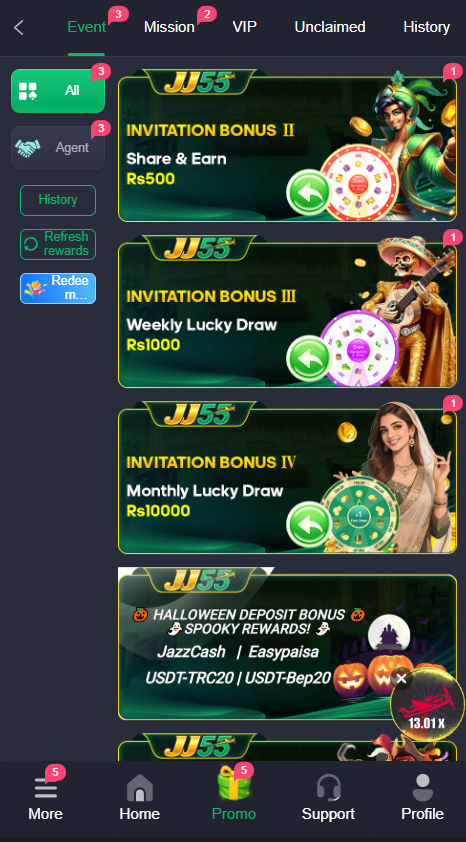
Bonuses After Login
A successful login does not automatically establish entitlement to a reward.
Before accepting any promotion, check:
- Who qualifies.
- Whether payment is required.
- When the offer expires.
- Whether credits have usage restrictions.
- Whether accepting changes withdrawal conditions.
- Whether the advertised reward is cash or promotional credit.
If these details remain unclear, do not assume the headline amount represents money you can withdraw.
Practical Account-Security Tips
Use these habits when accessing any online account:
- Keep a unique password.
- Protect your recovery email and phone number.
- Enable additional authentication if available.
- Never share OTPs or payment PINs.
- Check links before entering credentials.
- Log out on shared devices.
- Review unfamiliar activity promptly.
- Use verified support channels.
If you accidentally disclose a reused password, change it on every affected service.
Responsible Gaming
If the platform involves gambling, account access does not make participation financially safe. Losses remain possible, and no strategy guarantees a profit.
Set spending and time limits before participating. Keep household funds separate, avoid borrowing, and do not increase spending to recover losses.
Stop if the activity creates financial pressure or interferes with daily responsibilities.
Conclusion
Before using JJ55 Game login, verify the service and understand which credentials it requests. Use its legitimate recovery process when problems occur, and keep verification codes and payment information private.
Treat downloading, account access, and payments as separate decisions that each require evidence. A working login or an attractive promotion does not establish the operator’s reliability or guarantee financial outcomes.
Frequently Asked Questions
How do I log in to JJ55 Game?
Use the verified service, open its login form, and enter the account information it requests. Exact fields may vary.
Do I need to register first?
You normally need an existing account to log in. If your details are already registered, use login or recovery rather than creating another account.
What should I do if I forget my password?
Use the legitimate password-recovery option if available. Follow the service’s verification instructions and create a unique replacement password.
Why is my verification code not arriving?
Possible causes include incorrect contact details, network issues, delivery delays, or service problems. Check the destination and follow the displayed retry instructions.
Should I share my OTP with support?
No. Keep OTPs, passwords, and wallet PINs private.
Does logging in guarantee a welcome bonus?
No. Any reward depends on the actual promotion and its eligibility conditions.
Can I access my account from another device?
That depends on the service’s supported access methods and account rules. Verify compatibility and log out when using a shared device.
Does a successful login prove the app is safe?
No. Login access does not establish the operator’s identity, privacy practices, or payment reliability.
Is JJ55 Game a guaranteed earning app?
There is no verified basis for promising guaranteed earnings. If real-money gambling is involved, you can lose money.
Download links
How to install JJ55 Game Download (Latest Earning App) Free For Android APK?
1. Tap the downloaded JJ55 Game Download (Latest Earning App) Free For Android APK file.
2. Touch install.
3. Follow the steps on the screen.